> For the complete documentation index, see [llms.txt](https://docs.calk-ai.com/llms.txt). Markdown versions of documentation pages are available by appending `.md` to page URLs; this page is available as [Markdown](https://docs.calk-ai.com/agents/tools-you-can-give-to-agent/csv-analysis.md).
# Csv analysis
### Adding CSV Analysis to Your Agent
To enable your agent to analyze CSV and Excel files with advanced data processing capabilities, you can add the CSV Analysis tool during the agent creation process or when editing an existing agent.
**During agent creation:**
* In the Tools section (located in the Knowledge & Tools page), you'll find the CSV Analysis option with a magnifying glass icon.
* Check the "CSV analysis" checkbox to give your agent the ability to analyze CSV and Excel files.
* This tool allows your agent to perform complex data analysis, generate insights, and create summaries from spreadsheet data.
**When editing an existing agent:**
* Click the three dots on your agent's card and select "Edit Agent"
* Navigate to the Tools section
* Toggle the CSV Analysis option on or off as needed
**CSV Analysis Capabilities:** Once enabled, your agent will be able to:
* Process and analyze CSV and Excel files uploaded to conversations
* Generate detailed breakdowns and summaries of data
* Create tables showing key metrics and categories
* Perform calculations like counting, filtering, and grouping data
* Provide insights about data patterns and trends
* Show technical details about the dataset including row and column counts
The tool provides comprehensive analysis results with both summary tables and detailed technical information, making it perfect for agents that need to work with business data, sales reports, or any structured datasets.
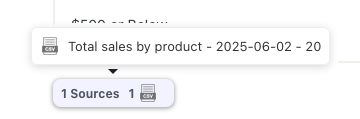
You can view the details of the query made by clicking on the “Sources” field at the end of the assistant response.